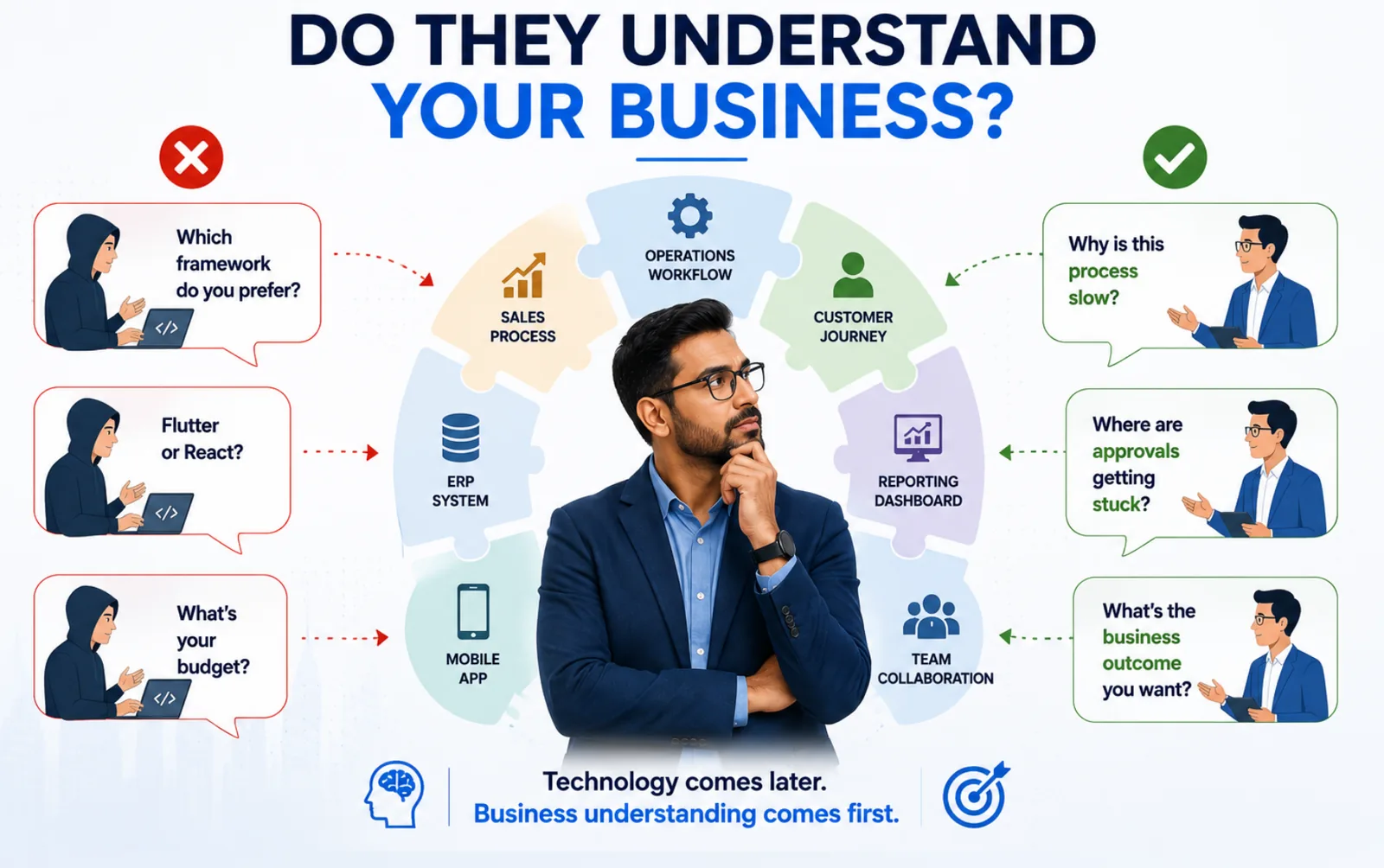
Every Business Thinks Its Processes Work… Until Growth Exposes the Cracks
Let's say it's Monday morning.
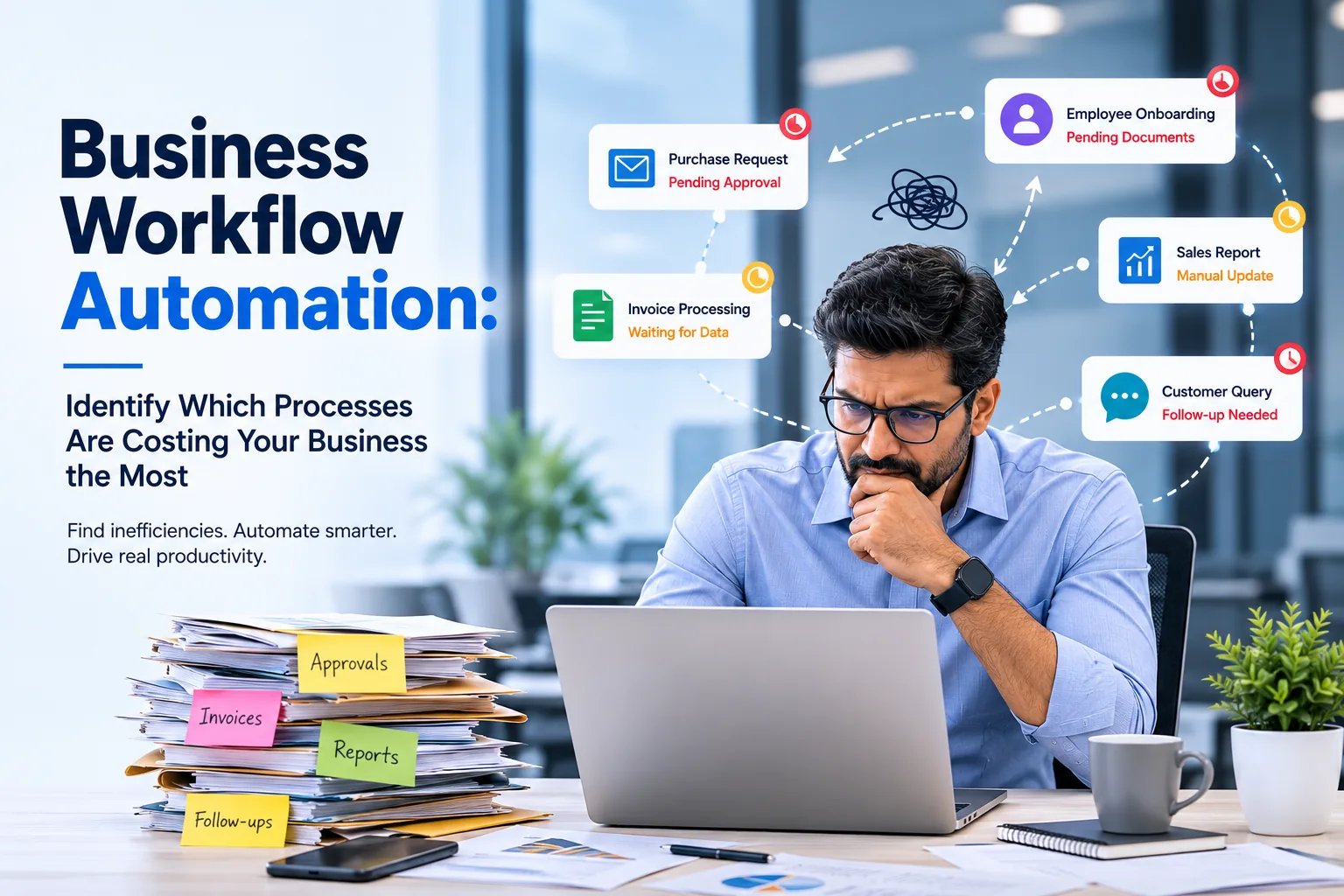
There is a purchase request waiting for approval.
Finance is looking for missing invoices.
HR is following up with a manager to finalize the employee on-boarding.
Sales asks Operations for an update and then responds to the customer.
Meanwhile your leadership team spends the first hour of the day checking emails instead of making business decisions.
Doesn't seem broken.
But all departments wait for somebody.
This is how most businesses work - not because their people are inefficient, but because their workflows are.
The cost of manual labor is seldom found in a financial report. Instead, it finds itself with delayed approvals, duplicate data entry, missed follow-ups, frustrated employees and slower customer service.
For a growing business, these little inefficiencies add up quickly.
For a growing business, these small inefficiencies compound quickly.
Business Workflow Automation isn't about replacing employees with software. It's about removing repetitive administrative work so your teams can focus on activities that create value.
Before investing in automation, however, you need to answer one important question:
Which business processes are actually costing your organization the most?
Manual Processes Have a Cost You Probably Aren't Measuring
When organizations evaluate operational costs, they usually focus on salaries, software licenses, or infrastructure.
What often goes unnoticed is the time employees spend waiting rather than working.
Think about how many times each day someone:
- Waits for an approval
- Searches for the latest document
- Copies information from one system to another
- Sends reminder emails
- Calls another department for a status update
None of these activities directly contribute to business growth.
Now multiply those delays across every department, every employee, and every working day.
The result is a significant operational cost hiding in plain sight.
The Real Cost of Manual Work
| Manual Activity | Hidden Business Impact |
|---|---|
| Email-based approvals | Delayed decisions and slower projects |
| Spreadsheet tracking | Duplicate work and inconsistent data |
| Paper forms | Longer processing times |
| Manual reporting | Managers lose productive hours |
| Re-entering information | Increased human errors |
| Status follow-ups | Lower employee productivity |
The objective of workflow automation isn't simply to make these activities digital.
It's to eliminate unnecessary steps altogether.
Digitization Isn't the Same as Automation
Many organizations think they are modernized because they are using ERP software, CRM platforms, Microsoft 365 or cloud applications.
But digital systems by themselves do not make processes efficient.
Think about the variation.
| Digitized Organization | Automated Organization |
|---|---|
| Stores information digitally | Moves work automatically |
| Employees still send emails | Approvals follow business rules |
| Reports are prepared manually | Dashboards update in real time |
| Teams follow up on requests | Notifications happen automatically |
| Information exists in separate systems | Systems exchange data automatically |
This distinction is important.
Digitization organizes information.
Workflow automation organizes how work moves through your business.
Is Your Business Ready for Workflow Automation?
Before investing in new technology, assess where your organization currently stands.
| Workflow Maturity | Typical Characteristics |
|---|---|
| Level 1 | Paper forms, verbal approvals, manual filing |
| Level 2 | Email approvals and Excel tracking |
| Level 3 | Digital forms with disconnected systems |
| Level 4 | Automated workflows and integrated applications |
| Level 5 | AI-powered workflows with predictive automation |
Most growing SMEs operate between Level 2 and Level 3.
The biggest productivity improvements usually occur when organizations move to Level 4, where repetitive work is automated and business systems communicate with each other.
Quick Self-Assessment
Take two minutes to answer these questions.
| Question | Yes | No |
|---|---|---|
| Do approvals regularly get delayed? | ☐ | ☐ |
| Do employees enter the same information more than once? | ☐ | ☐ |
| Are reports created manually every week or month? | ☐ | ☐ |
| Do managers frequently ask for project status updates? | ☐ | ☐ |
| Are important documents shared primarily through email? | ☐ | ☐ |
| Does a customer's request depend on multiple manual approvals? | ☐ | ☐ |
4Edge Insight
If you answered "Yes" to three or more questions, your organization likely has workflow bottlenecks that are reducing productivity, increasing operational costs, and slowing business growth.
Which Departments Usually Benefit First?
Workflow automation isn't limited to one team.
Some departments, however, tend to see faster improvements because they rely heavily on approvals, documentation, and repetitive administrative tasks.
| Department | Common Workflow Challenges | Automation Opportunity |
|---|---|---|
| HR | Employee onboarding, leave approvals | High |
| Finance | Invoice processing, expense claims | Very High |
| Procurement | Purchase requests, vendor approvals | Very High |
| Operations | Task allocation, maintenance requests | High |
| Sales | Quotation approvals, CRM updates | Medium |
| Customer Support | Ticket routing, escalations | High |
Rather than automating every department simultaneously, successful organizations focus on high-volume, high-impact workflows first.
Identifying Your Biggest Automation Opportunities
Implementing workflow automation isn't about replacing every manual process overnight. It's about identifying where automation delivers the greatest operational and financial impact with the least disruption.
Organizations that achieve the highest ROI don't ask:
"What can we automate?"
They ask:
"Which manual process is slowing our business down the most?"
The answer usually isn't the most complex workflow—it's the one employees repeat hundreds of times every month.
The 80/20 Rule of Workflow Automation
In most organizations, a small number of repetitive workflows create the majority of operational delays.
These processes typically involve multiple approvals, repeated data entry, or coordination between departments.
| Workflow Type | Business Impact | Automation Priority |
|---|---|---|
| Purchase & Vendor Approvals | High | ⭐⭐⭐⭐⭐ |
| Invoice Processing | High | ⭐⭐⭐⭐⭐ |
| Employee Onboarding | High | ⭐⭐⭐⭐⭐ |
| Leave & Attendance Requests | Medium | ⭐⭐⭐⭐ |
| Customer Support Tickets | High | ⭐⭐⭐⭐ |
| Document Review & Approval | Medium | ⭐⭐⭐⭐ |
| Asset Requests | Medium | ⭐⭐⭐ |
| Meeting Scheduling | Low | ⭐⭐ |
Instead of launching a company-wide automation project, focus on the workflows that affect the largest number of employees and customers.
Workflow Automation Scorecard
Use this framework to evaluate every business process.
| Evaluation Criteria | Weight | Score (1–5) |
|---|---|---|
| Process happens daily | 20% | ___ |
| Multiple approvals required | 15% | ___ |
| High manual effort | 20% | ___ |
| Frequent human errors | 15% | ___ |
| Involves multiple departments | 10% | ___ |
| Customer-facing impact | 10% | ___ |
| Difficult to track | 10% | ___ |
Interpretation
| Final Score | Recommendation |
|---|---|
| 80–100 | Automate immediately |
| 60–79 | High priority |
| 40–59 | Optimize first, then automate |
| Below 40 | Keep manual for now |
This scorecard provides a practical way to prioritize automation initiatives instead of relying on assumptions.
Where Do Businesses Lose the Most Time?
The following chart illustrates the relative operational effort typically spent on common manual workflows.
Typical Operational Effort Spent on Manual Workflows
Illustrative comparison of common business processes that often consume the most manual effort.
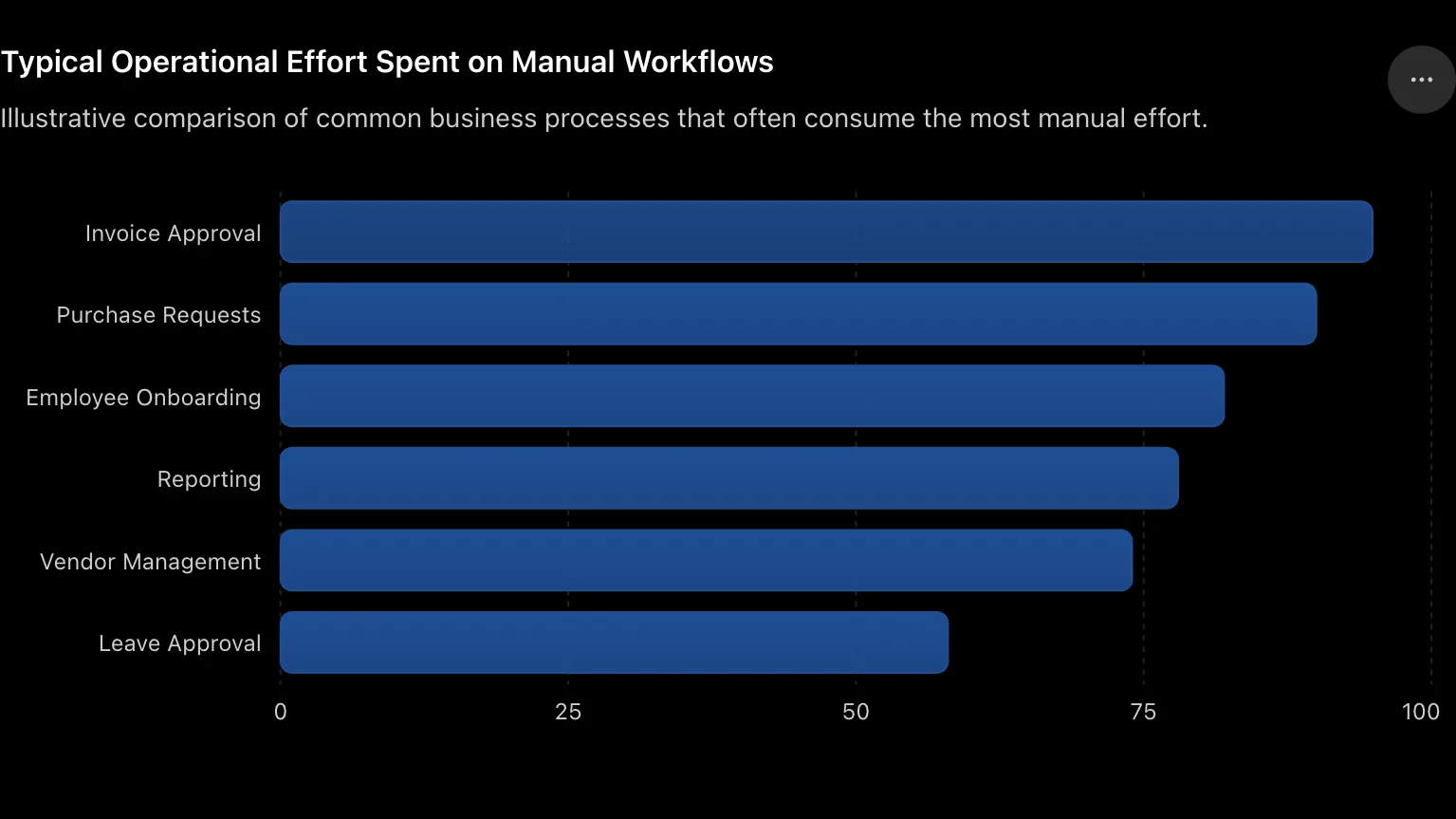
These aren't universal measurements, but they reflect where many organizations see the quickest gains from automation.
The ROI Is Often Bigger Than Expected
Leaders often evaluate workflow automation based on software cost.
The real calculation should focus on time recovered.
Example: Invoice Approval Workflow
| Before Automation | After Automation |
|---|---|
| Average approval time: 3 days | Average approval time: 6 hours |
| 12 follow-up emails | Automatic reminders |
| Manual status tracking | Live dashboard |
| Finance waits for approvals | Instant notifications |
| No audit trail | Complete workflow history |
Now multiply that improvement across hundreds of invoices every month.
The productivity gains quickly outweigh the implementation effort.
A Manufacturing Example
A manufacturing company processed purchase requests through email.
The workflow looked simple:
Employee → Manager → Department Head → Finance → Procurement
In practice:
- Managers were travelling.
- Emails were missed.
- Procurement couldn't see request status.
- Finance followed up manually.
- Employees repeatedly asked, "Has my request been approved?"
After implementing an automated workflow:
- Requests moved automatically to the next approver.
- Escalation reminders were triggered after 24 hours.
- Mobile approvals reduced waiting time.
- Every action was logged for auditing.
- Procurement received instant notifications once approvals were complete.
The approval cycle reduced from three days to less than one working day, while providing complete visibility across departments.
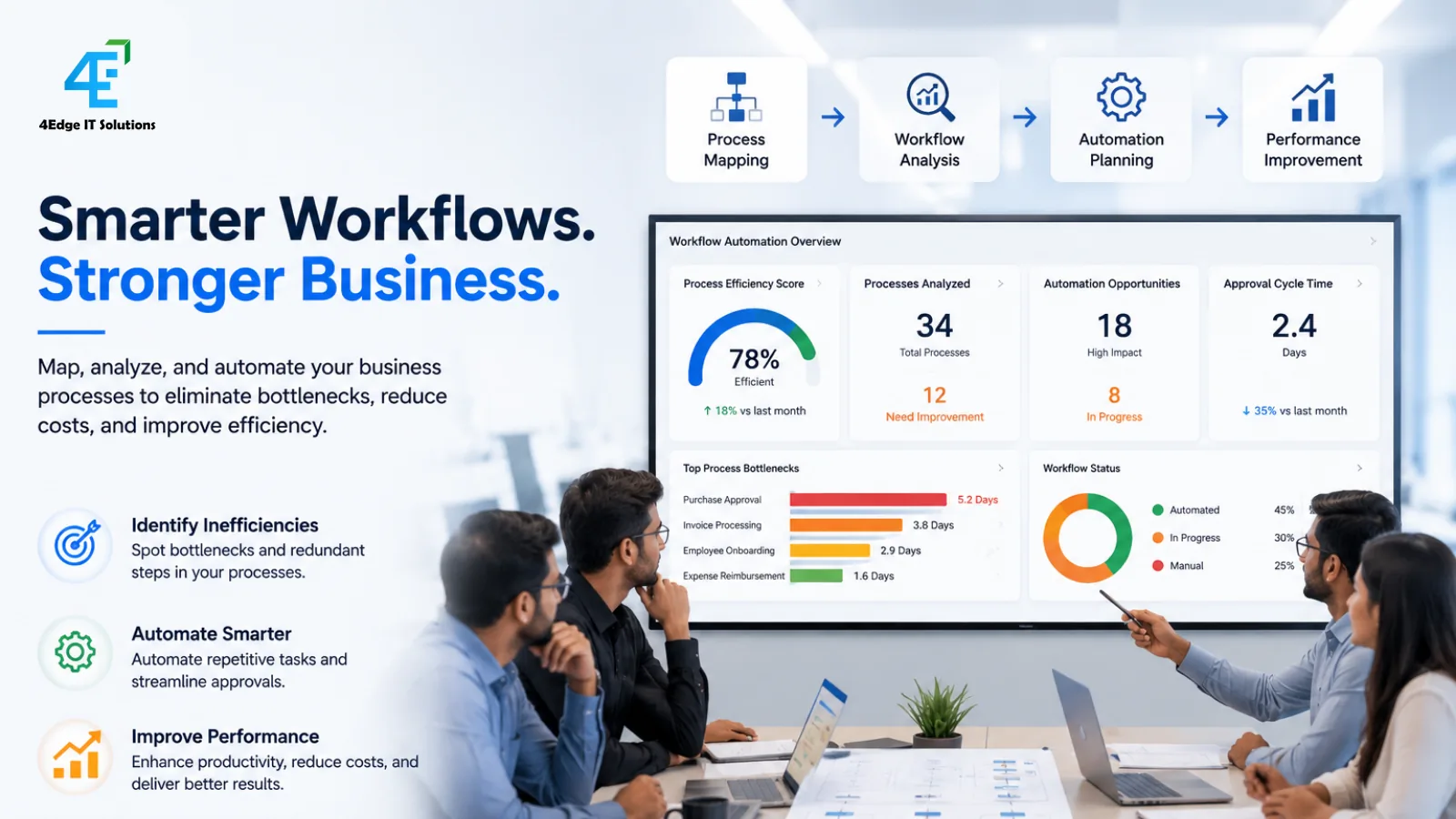
4Edge Insight
The best workflow to automate isn't the most complicated one—it's the one your employees perform every day.
Removing ten minutes from a process completed 500 times a month delivers far greater value than automating a task that happens once a quarter.
Common Mistakes to Avoid
Many automation projects fail—not because of technology, but because of poor planning.
| Mistake | Better Approach |
|---|---|
| Automating every process at once | Start with one high-impact workflow |
| Copying the existing manual process | Simplify before automating |
| Ignoring employee feedback | Involve end users early |
| Focusing only on software | Redesign the business process |
| Measuring implementation only | Measure business outcomes |
Automation should simplify work—not create another system employees have to manage.
Building a Smarter Business with Workflow Automation
By now, you've identified where manual processes are slowing your business and how to prioritize automation opportunities.
The next question is:
Should you buy workflow software, customize an existing platform, or build a solution tailored to your business?
The answer depends on your processes—not the software.
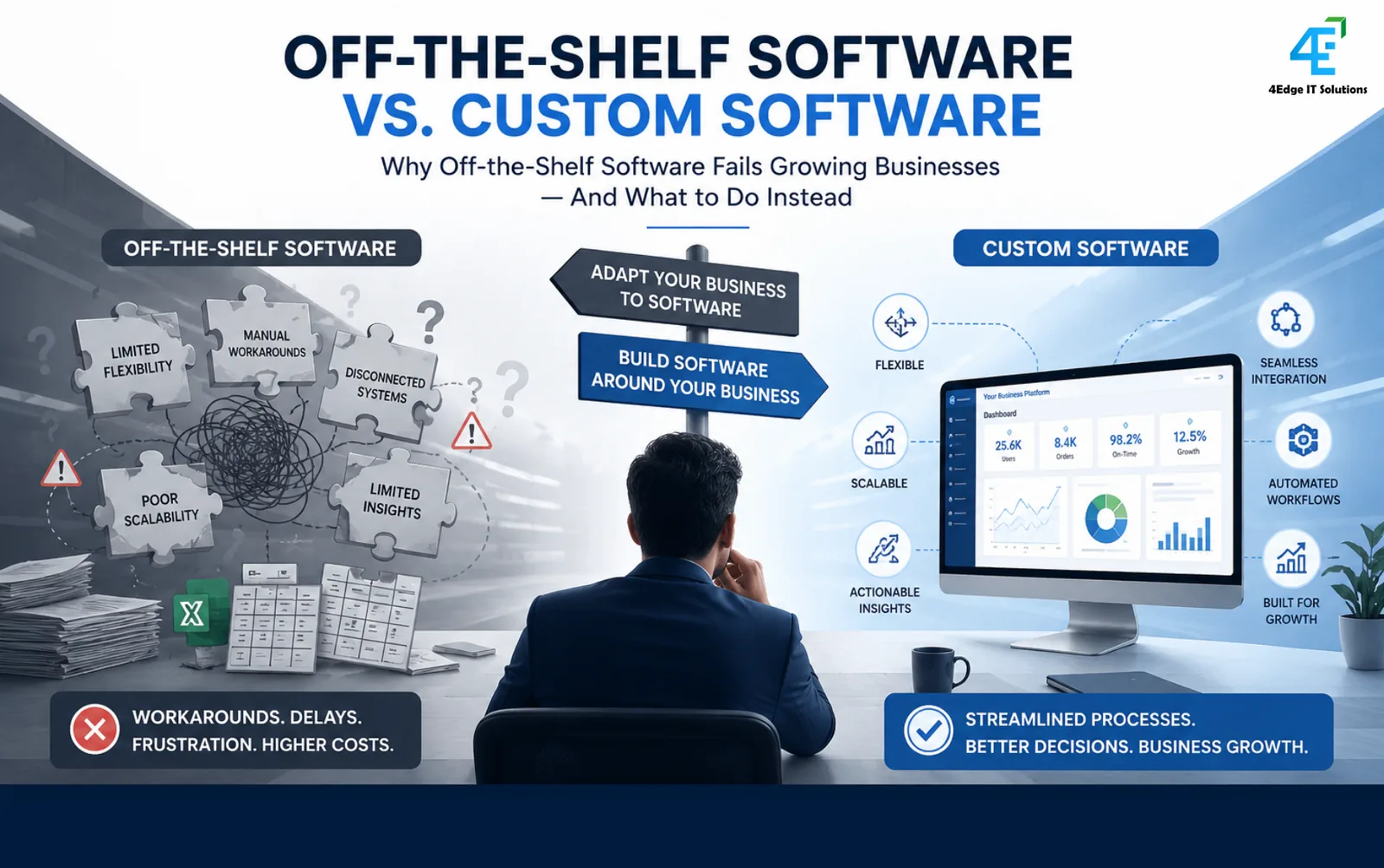
Off-the-Shelf vs Custom Workflow Automation
Many organizations start with generic workflow tools because they're quick to deploy. While these platforms work well for standard approvals and forms, they often struggle when workflows become more complex or require integration with existing systems.
| Feature | Off-the-Shelf Solution | Custom Workflow Solution |
|---|---|---|
| Initial Setup | Fast | Moderate |
| Fits Standard Processes | ✔ | ✔ |
| Fits Unique Business Rules | Limited | ✔✔✔ |
| ERP/CRM Integration | Limited | Extensive |
| Scalability | Moderate | High |
| Reporting & Dashboards | Standard | Custom KPIs |
| Long-Term Flexibility | Medium | High |
4Edge Recommendation
If your workflow defines your competitive advantage, build around your process—not the software.
A Successful Workflow Automation Roadmap
Automation projects succeed when they're treated as business transformation initiatives rather than IT implementations.
Phase 1 – Discover
Understand how work currently flows.
- Identify bottlenecks
- Interview stakeholders
- Measure delays
- Map approval chains
Phase 2 – Design
Simplify before automating.
Remove:
- Duplicate approvals
- Unnecessary forms
- Manual follow-ups
- Redundant data entry
Phase 3 – Automate
Build workflows that automatically:
- Route approvals
- Notify stakeholders
- Validate information
- Escalate delays
- Generate reports
Phase 4 – Improve
Automation isn't a one-time project.
Monitor:
- Processing time
- User adoption
- Approval delays
- Employee feedback
- Business KPIs
Continuous improvement delivers long-term value.
Workflow Automation Isn't Just About Saving Time
Organizations often justify automation by calculating hours saved.
The real value extends much further.
| Before Automation | After Automation |
|---|---|
| Employees chase approvals | Employees focus on customers |
| Managers search for updates | Managers make faster decisions |
| Data lives in silos | Information flows automatically |
| Reports take hours | Dashboards update instantly |
| Customers wait | Faster response times |
| Limited visibility | End-to-end process transparency |
The outcome isn't simply efficiency.
It's a business that responds faster to employees, customers, and market changes.
Where 4Edge Can Help
At 4Edge IT Solutions, we don't start with software.
We start with your business process.
Our workflow automation approach combines business consulting with custom technology development to ensure the solution fits the way your organization actually operates.
Our capabilities include:
| Service | Business Value |
|---|---|
| Business Process Discovery | Identify workflow bottlenecks |
| Workflow Mapping | Visualize every approval and decision |
| Custom Web Applications | Automate unique business processes |
| Mobile Applications | Enable approvals from anywhere |
| API & System Integration | Connect ERP, CRM, HRMS, LMS and third-party platforms |
| Business Dashboards | Real-time visibility and reporting |
Whether you're digitizing procurement, HR, finance, operations, or customer service, every workflow is designed to reduce manual effort while improving visibility and accountability.
Is Your Business Ready?
Use this final checklist before starting any automation initiative.
| Question | ✔ |
|---|---|
| Have you identified your most repetitive workflows? | ☐ |
| Are current process delays measurable? | ☐ |
| Can unnecessary approval steps be removed? | ☐ |
| Do your existing systems need integration? | ☐ |
| Have end users been involved in process design? | ☐ |
| Are success metrics clearly defined? | ☐ |
If most boxes remain unchecked, your first investment shouldn't be software—it should be understanding your workflows.
Free Resource: Workflow Audit Worksheet
Not sure where to begin?
Download our Workflow Audit Worksheet, designed to help Operations Heads, COOs, and Business Owners identify automation opportunities across every department.

What's Included?
| Resource | Purpose |
|---|---|
| Workflow Audit Checklist | Identify inefficient processes |
| Process Mapping Canvas | Document current workflows |
| Automation Priority Matrix | Rank projects by ROI |
| ROI Calculator | Estimate productivity gains |
| Digital Transformation Roadmap | Plan phased implementation |
Frequently Asked Questions
What is business workflow automation?
Business workflow automation uses technology to automate repetitive tasks, approvals, notifications, and data movement, helping organizations improve efficiency, accuracy, and visibility.
Which business processes should be automated first?
Start with repetitive, high-volume, rule-based processes such as invoice approvals, employee onboarding, purchase requests, leave management, and customer support workflows.
Is workflow automation only for large enterprises?
No. Small and medium-sized businesses often see the fastest return because manual processes become difficult to manage as the organization grows.
Should I buy workflow software or build a custom solution?
If your workflows are standard, an off-the-shelf platform may be sufficient. If your processes are unique or require integration with multiple business systems, a custom workflow solution usually provides greater long-term value.
Can workflow automation integrate with our existing systems?
Yes. Modern workflow solutions can integrate with ERP, CRM, HRMS, accounting software, Learning Management Systems, payment gateways, and other enterprise applications through APIs.
Business workflow automation isn’t about replacing people; it’s about taking the repetitive work out of the hands of people so they can do their best work.
Each delay in approval, each duplicate data entry, each manual follow-up adds hidden costs to your organization.
The businesses that grow successfully aren’t necessarily the ones with the biggest teams. They have the most efficient process.
Companies that find and simplify high-impact workflows and automate intelligently can increase productivity, enhance customer experiences and build a solid foundation for future growth.
The first step is not to choose software.
It's knowing how the work really moves through your organization.
About the author
4Edge Engineering TeamChief Technology Officer
Heads engineering at 4Edge IT Solutions, delivering custom web and mobile applications, API integrations and Odoo ERP implementations for growing businesses.