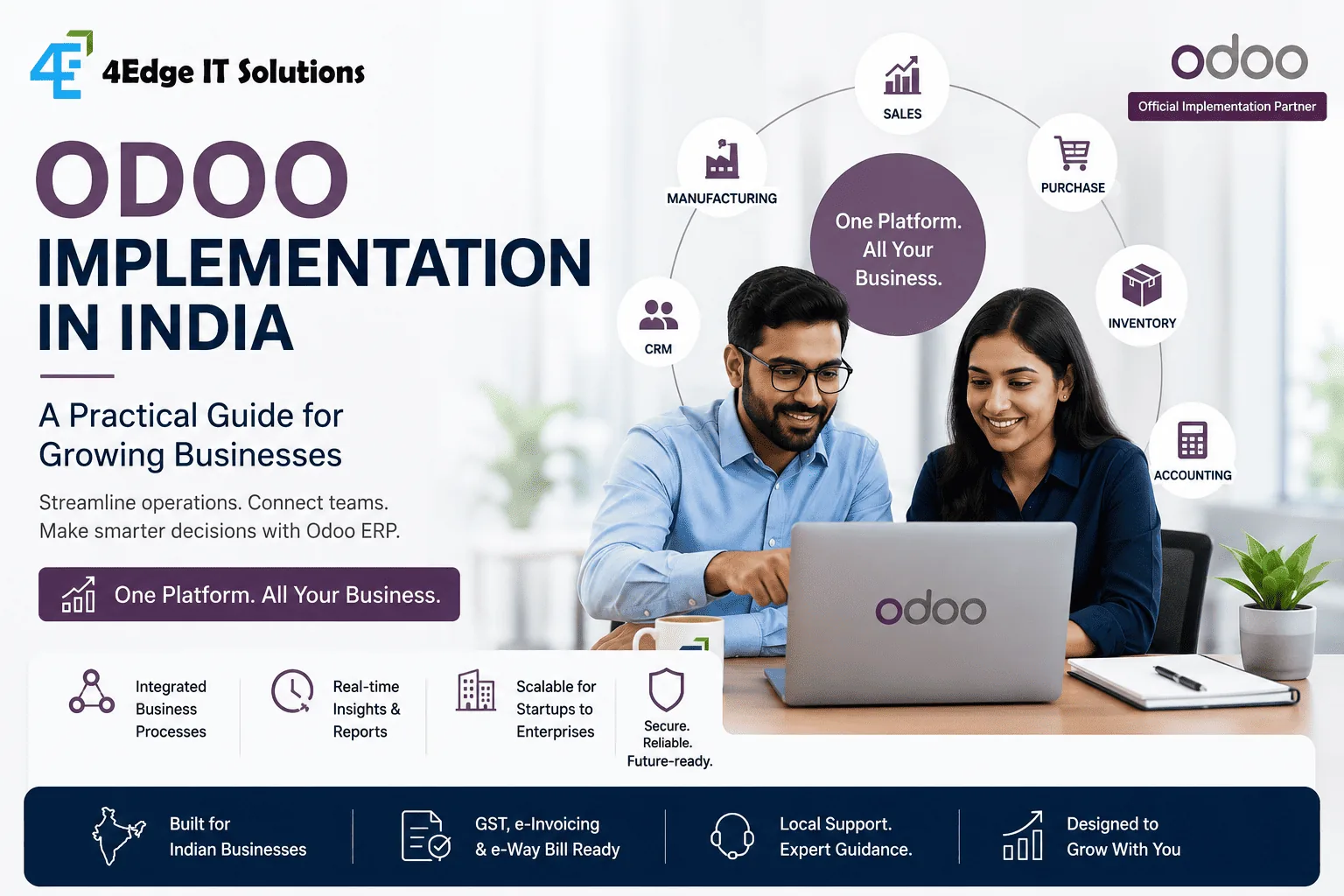
Quick answer: Odoo implementation works best when businesses treat ERP as a process-improvement project rather than simply installing software. The right approach is to map current workflows, select the relevant Odoo applications, configure the system around business requirements, migrate clean data, integrate essential systems, train users, and roll out in controlled phases.
For a growing business, the attraction of Odoo is straightforward: instead of managing sales, purchasing, inventory, accounting, manufacturing, CRM and other operations across disconnected applications, businesses can bring relevant workflows into one integrated ERP environment.
But choosing Odoo is only the beginning. The quality of the implementation determines whether the ERP becomes a useful operating system for the business—or another piece of software employees work around.
For Indian businesses, implementation also needs to account for local accounting and tax requirements. Odoo's India localization includes functionality for GST, e-invoicing, e-way bills and related accounting reporting.
This guide explains what an Odoo implementation actually involves, where projects commonly go wrong, and how growing businesses can approach implementation more strategically.
Why Are Growing Businesses Moving Toward Odoo?
Many businesses don't start looking for an ERP because they suddenly want "more software." They start because their existing systems are becoming difficult to manage.
A typical growing business might have:
- Sales information in a CRM
- Inventory managed through spreadsheets
- Accounting handled separately
- Purchase orders exchanged through email
- Production tracked manually
- Customer information spread across multiple systems
- Reports prepared manually at the end of the month
Each individual tool may work reasonably well. The problem appears when these systems need to work together.
A sales order should influence inventory. Inventory should influence purchasing. Purchasing should connect with accounting. Production should reflect material availability. Management should be able to see the resulting information without asking five departments to prepare separate spreadsheets. That's where an integrated ERP becomes valuable.
The real objective of ERP implementation isn't replacing software. It's connecting business processes.
What Is Odoo Implementation?
Odoo implementation is the process of adapting Odoo ERP to an organization's actual business operations.
It generally involves much more than installing applications. A typical implementation includes:
- Business process discovery
- Requirement analysis
- Odoo application selection
- Workflow configuration
- Customization where necessary
- Data migration
- Third-party integrations
- Testing
- User training
- Deployment
- Post-go-live support
The exact scope depends on the organization's size, industry, existing systems and operational complexity. A small trading company may need CRM, Sales, Purchase, Inventory and Accounting.
A manufacturing organization may additionally require Manufacturing, Quality, Maintenance, Planning and other workflows.
The important point is that Odoo should be configured around the business—not the other way around.
Which Odoo Applications Should a Growing Business Consider?
Not every company needs every Odoo application.
The better approach is to start with the processes creating the biggest operational problems.
| Business Need | Relevant Odoo Area |
|---|---|
| Manage leads and opportunities | CRM |
| Manage quotations and orders | Sales |
| Manage suppliers and purchasing | Purchase |
| Track stock | Inventory |
| Manage production | Manufacturing |
| Manage finances | Accounting |
| Manage customer invoices | Invoicing |
| Manage employees | Employees |
| Track projects | Project |
| Manage service requests | Helpdesk |
| Manage retail operations | Point of Sale |
| Manage online sales | eCommerce |
The right implementation therefore starts with business requirements, not with a checklist of modules.
Step 1: Map Your Current Business Processes
Before configuring Odoo, document how the business works today.
For example, consider the sales-to-payment process:
Lead → Quotation → Sales Order → Delivery → Invoice → Payment
Now ask:
- Who owns each step?
- Which system is used?
- Where is data entered?
- Where are approvals required?
- Where do delays occur?
- Which steps are manual?
- Which reports are difficult to generate?
- Where does duplicate data entry happen?
Do the same for purchasing, inventory, production, finance and other important workflows. This exercise often reveals that the biggest ERP opportunity isn't a missing feature. It's a broken process.
Step 2: Separate Standard Requirements From Custom Requirements
This is one of the most important decisions in an Odoo implementation.
When a business has an existing process, there are usually three options:
Configure
Use Odoo's existing capabilities and settings.
Best when: The business process is already reasonably aligned with standard ERP workflows.
Customize
Modify or extend an existing Odoo workflow.
Best when: The business has a legitimate requirement that standard configuration cannot handle.
Build
Develop a new module or integration.
Best when: The requirement is highly specific, strategically important, or requires functionality that isn't available through standard configuration.
A common mistake is to customize everything simply because the business has always done something a particular way.
Another mistake is forcing an important business process into standard functionality when customization is genuinely necessary.
The right question is:
Does this requirement create business value significant enough to justify customization and its long-term maintenance?
Step 3: Plan Your Odoo Implementation in Phases
A large ERP rollout doesn't necessarily need to happen in one step. For many growing businesses, a phased approach is easier to manage.
Phase 1 — Core Operations
Start with the processes that affect daily operations. For example:
CRM → Sales → Purchase → Inventory → Accounting
Phase 2 — Advanced Operations
Once the foundation is stable, expand into areas such as:
- Manufacturing
- Quality
- Maintenance
- Project management
- Helpdesk
- Advanced reporting
Phase 3 — Integrations & Automation
The next stage can connect Odoo with:
- E-commerce platforms
- Payment gateways
- Existing applications
- Banking systems
- Logistics systems
- Customer portals
- Custom business applications
This approach reduces implementation risk and allows employees to adapt progressively.
Odoo for Indian Businesses: What Should You Consider?
An Odoo implementation in India has some specific considerations.
Indian localization provides accounting functionality relevant to GST operations, including e-invoicing, e-way bills and GST reporting.
Businesses should nevertheless validate their exact requirements before implementation. For example:
GST configuration
Your implementation should correctly account for the organization's GST structure and transaction types.
E-invoicing
If applicable to the business, e-invoicing workflows need to be configured and tested properly.
E-way bills
Businesses that require e-way bills should ensure inventory and accounting workflows support the required process.
Multi-state operations
Companies operating across multiple states may have more complex tax and operational requirements.
Multiple companies
Groups with multiple legal entities should determine how companies, users, accounting and reporting will be structured.
Important: ERP configuration should be validated against the organization's current tax and accounting requirements rather than assuming that a default configuration is automatically suitable for every business.
Odoo's current documentation provides India-specific localization modules and configuration guidance.
How Much Does Odoo Implementation Cost in India?
There isn't one meaningful "Odoo implementation price." The cost depends on the scope of the project.
Key factors include:
- Number of users
- Number of applications
- Business complexity
- Number of companies
- Data migration requirements
- Custom development
- Third-party integrations
- Reporting requirements
- User training
- Deployment model
- Post-launch support
A small implementation with standard workflows can be considerably simpler than an enterprise implementation involving manufacturing, multiple entities, legacy systems and custom integrations.
Instead of asking: "How much does Odoo cost?" businesses should ask: "What will it take to implement the processes we actually need?" That produces a much more useful project estimate.
Common Odoo Implementation Mistakes
1. Starting With Modules Instead of Processes
Choosing applications before understanding workflows can result in unnecessary complexity. Start with:
What problem are we solving? Then determine: Which Odoo capability solves it?
2. Customizing Too Early
Customization can solve genuine business requirements, but excessive customization increases development, testing and maintenance requirements.
Use standard functionality where it fits. Customize where the business case justifies it.
3. Migrating Bad Data
ERP implementation is an opportunity to clean data—not simply move every old spreadsheet into the new system. Before migration, identify:
- Duplicate customers
- Duplicate products
- Inactive suppliers
- Incorrect inventory records
- Outdated price lists
- Incomplete master data
Bad data doesn't become good data because it has been moved into an ERP.
4. Ignoring User Adoption
An ERP can be technically successful and operationally unsuccessful. If employees don't understand the new workflows, they may continue using:
- Excel
- Personal trackers
- Parallel databases
User training should therefore be treated as part of implementation—not an activity added after go-live.
5. Trying to Launch Everything at Once
A company doesn't necessarily need every Odoo application on day one. A controlled rollout often provides better visibility into what works, what needs adjustment and where users need additional support.
What Does a Good Odoo Implementation Process Look Like?
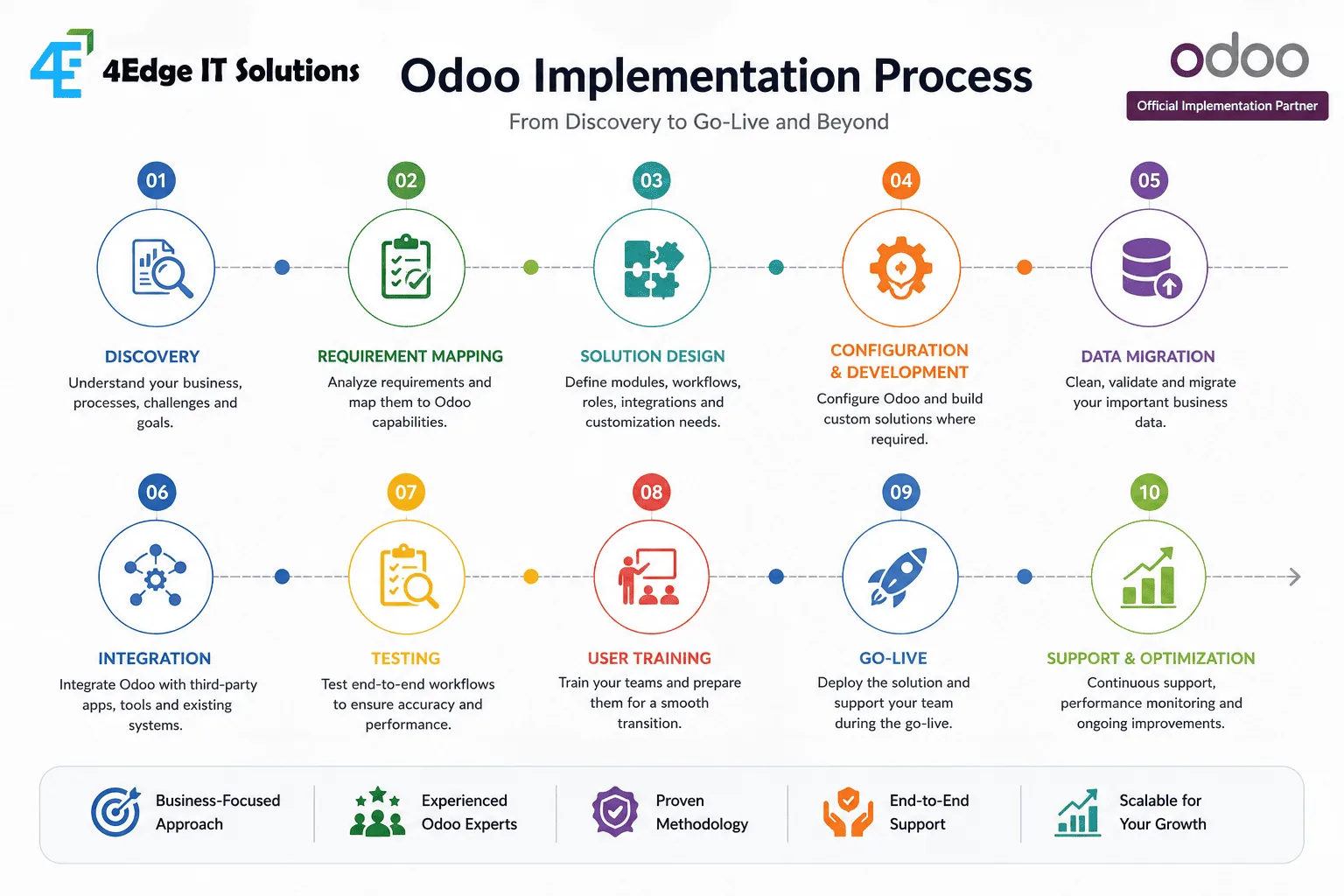
A practical implementation can follow this sequence:
01 — Discovery — Understand the organization's processes, systems and pain points.
02 — Requirement Mapping — Separate standard Odoo capabilities from configuration, customization and integration requirements.
03 — Solution Design — Define applications, workflows, users, roles and integrations.
04 — Configuration & Development — Configure standard functionality and build only the required custom components.
05 — Data Migration — Clean, validate and migrate relevant business data.
06 — Testing — Test real-world workflows using realistic business scenarios.
07 — User Training — Train employees according to their actual roles.
08 — Go-Live — Launch the agreed scope and provide support during the transition.
09 — Optimization — Review usage, identify bottlenecks and improve the system over time.
How Should You Choose an Odoo Implementation Partner?
The implementation partner can have as much impact on the project as the software itself. Odoo maintains an implementation-partner network in India, with partner profiles organized by factors such as industry, company size and implementation experience.
When evaluating a partner, don't only ask: "Can you implement Odoo?" Ask:
Can they understand our business processes? A good implementation partner should be able to discuss your workflow before discussing modules.
Can they explain what should remain standard? A strong partner won't recommend customization for every requirement.
Can they handle integrations? Your ERP rarely operates completely alone.
How will data migration be handled? Data quality can determine whether the new system is trusted.
What happens after go-live? ERP implementation is not necessarily finished when users receive their logins.
Can they support future growth? Your implementation should provide a foundation that can evolve as the organization grows.
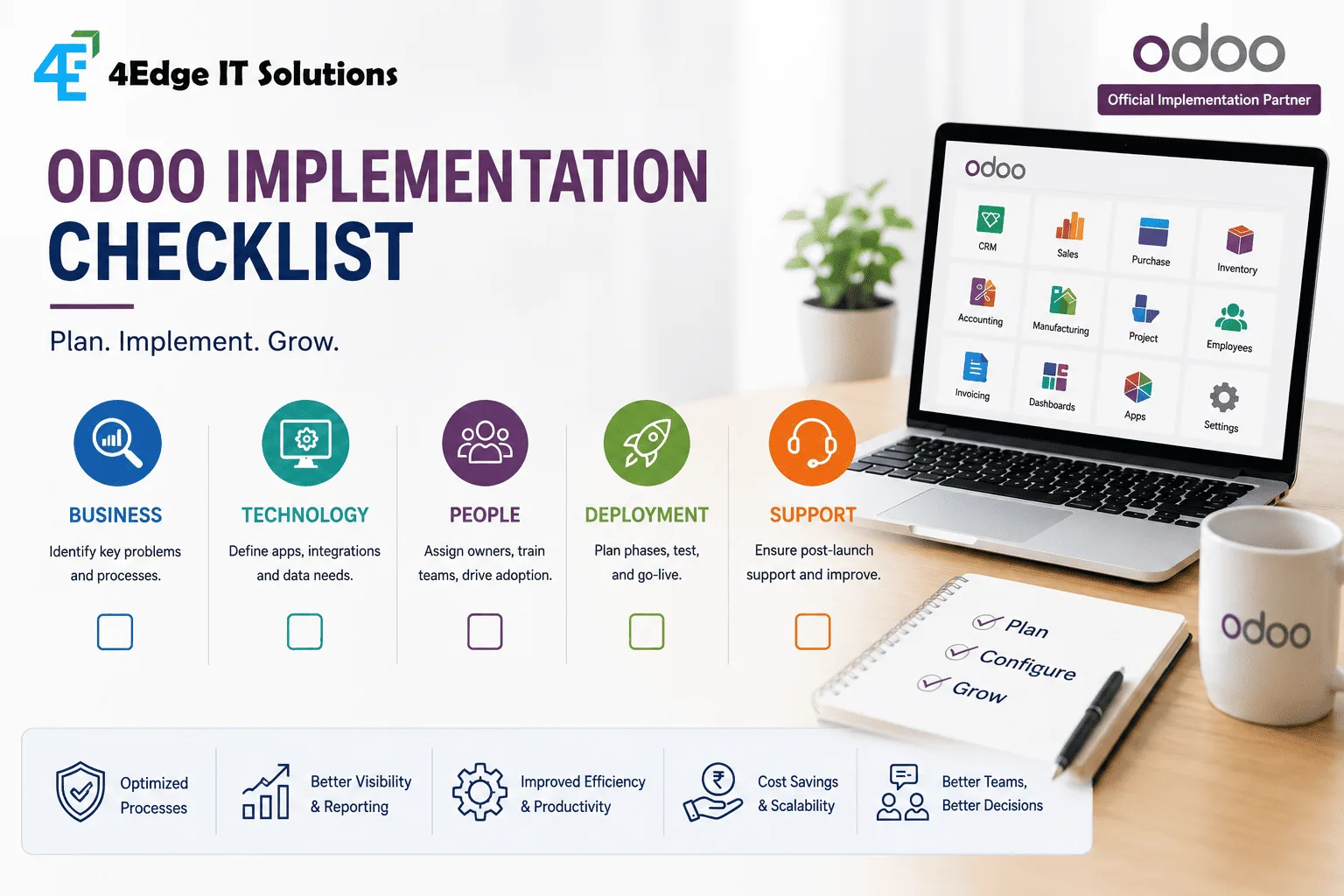
Odoo Implementation Checklist
Before starting your project, make sure you can answer these questions:
Business
- ☐ What business problems are we solving?
- ☐ Which processes are currently manual?
- ☐ Which departments need to be connected?
- ☐ What reports does management need?
Technology
- ☐ Which Odoo applications are required?
- ☐ Which existing systems need integration?
- ☐ What data needs to be migrated?
- ☐ Which requirements need customization?
People
- ☐ Who owns the implementation internally?
- ☐ Who will be the department-level champions?
- ☐ How will employees be trained?
- ☐ How will adoption be measured?
Deployment
- ☐ What should be included in Phase 1?
- ☐ What can wait until Phase 2?
- ☐ What is the testing process?
- ☐ What is the go-live plan?
- ☐ Who provides post-launch support?
Odoo Implementation vs. Continuing With Disconnected Systems
| Factor | Disconnected Systems | Integrated Odoo Environment |
|---|---|---|
| Data entry | Often duplicated | More connected |
| Reporting | Requires consolidation | Centralized |
| Department visibility | Limited | Improved |
| Workflow automation | Depends on tools | Built into connected processes |
| Scalability | Can become difficult | Designed to support broader workflows |
| Customization | Depends on individual systems | Can be configured and extended |
| Process visibility | Often fragmented | More centralized |
The important distinction is not simply more software vs. less software. It's fragmented processes vs. connected processes.
When Is Odoo the Right Choice?
Odoo can be worth evaluating when your organization is experiencing several of these symptoms:
- Multiple departments use disconnected systems
- Employees repeatedly enter the same information
- Management reporting requires manual consolidation
- Inventory visibility is poor
- Sales and finance operate from separate datasets
- Purchase approvals are handled through email
- Business processes are becoming difficult to manage through spreadsheets
- The organization expects significant operational growth
If most processes already work efficiently through existing systems, replacing them simply for the sake of adopting an ERP may not be necessary. ERP should solve a business problem.
The Role of an Odoo Implementation Partner
An implementation partner should bring more than technical configuration. The real value comes from connecting business requirements, ERP capabilities and long-term operational goals.
At 4Edge IT Solutions, our approach to Odoo implementation is built around understanding how an organization actually works before deciding how Odoo should be configured.
As an Official Odoo Implementation Partner, 4Edge supports organizations across:
- Odoo implementation
- Business process discovery
- Odoo configuration
- Customization and module development
- ERP integrations
- Data migration
- Deployment
- User training
- Ongoing support
The objective isn't to make your business adapt blindly to software. It's to create an ERP environment that supports the way your organization needs to operate and grow.
Key Takeaways
A successful Odoo implementation comes down to a few principles:
- Start with processes, not modules.
- Keep standard functionality wherever it makes sense.
- Customize only when there is a clear business reason.
- Treat data migration as a project, not a technical afterthought.
- Train users before expecting adoption.
- Roll out in manageable phases.
- Plan integrations and post-go-live support from the beginning.
Most importantly, don't measure an ERP project only by whether the software went live. Measure it by whether the business operates better after implementation.
Frequently Asked Questions
What is Odoo implementation? Odoo implementation is the process of configuring, customizing, integrating and deploying Odoo ERP according to an organization's business processes. It can also include data migration, testing, employee training and post-launch support.
How long does an Odoo implementation take in India? The timeline depends heavily on the number of applications, users, integrations, customizations and data migration requirements. A focused implementation can be relatively short, while complex multi-department or multi-company projects require a phased approach over a longer period.
How much does Odoo implementation cost in India? There is no fixed implementation cost. Pricing depends on project scope, number of users and applications, customization, integrations, data migration, training and ongoing support. A proper discovery exercise should happen before a meaningful estimate is provided.
Is Odoo suitable for small and medium-sized businesses in India? Yes. Odoo can be suitable for growing businesses that need to connect functions such as sales, inventory, purchasing, accounting, CRM or manufacturing. The implementation should be scaled according to actual business requirements rather than deploying unnecessary modules.
Does Odoo support GST in India? Odoo provides India-specific localization functionality covering areas including GST, e-invoicing, e-way bills and related accounting reports. Businesses should configure and validate these capabilities according to their specific tax and accounting requirements.
Should a business customize Odoo? Customization should be considered when a genuine business requirement cannot be adequately addressed through standard configuration. Excessive customization can increase development and long-term maintenance requirements, so it should be evaluated carefully.
What should a company prepare before starting an Odoo implementation? Prepare an overview of current business processes, existing software, users, master data, reporting requirements, integrations, pain points and desired outcomes. This gives the implementation team a clear foundation for solution design.
How do I choose an Odoo implementation partner in India? Look for a partner that understands your industry and business processes, can explain configuration versus customization clearly, has integration and migration capabilities, provides user training and has a defined post-go-live support approach. Odoo's partner directory can also be used to evaluate implementation partners in India.
Ready to Evaluate Odoo for Your Business?
If your business has outgrown spreadsheets, disconnected applications or manual workflows, the first step shouldn't be buying an ERP. It should be understanding what needs to change.
4Edge IT Solutions can help you assess your existing processes, identify where Odoo fits, define the implementation scope and build a practical roadmap for deployment.
Talk to 4Edge about your Odoo implementation requirements.
About the author
4Edge Engineering TeamChief Technology Officer
Heads engineering at 4Edge IT Solutions, delivering custom web and mobile applications, API integrations and Odoo ERP implementations for growing businesses.